You can join Pirate Diffusion right here
One of the coolest new toys in the Pirate Diffusion toolbox is the Skills system.
Think of Skills as little prompt machines built by creators who have already done the hard part for you. They tested, tweaked, wrestled with the weirdness, fed the goblin, polished the spellbook, and turned the whole thing into a simple command the rest of us can use.
Today we’re looking at one of those Skills:
Nudify2.
And yes, the name is not exactly wearing a trench coat. You know what it does.
What Nudify2 Does
Nudify2 is designed to take a character image, such as an AI-generated render, your own created character, or an image you have uploaded, and reinterpret the subject without clothing.
The Basic Workflow
In the Webui let’s click input to use one of our rendered images or upload an image from outside the system.
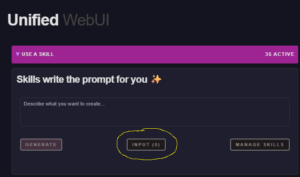
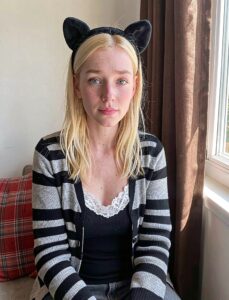
The input should now read (1) and now we type the following in the box that reads “Describe what you want to create”
/skill /run:nudify2 make the subject nude
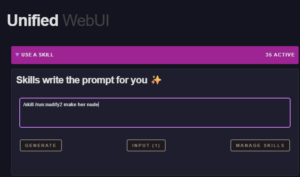
Now we click GENERATE
Your screen should now look like this, with a full prompt created for you:
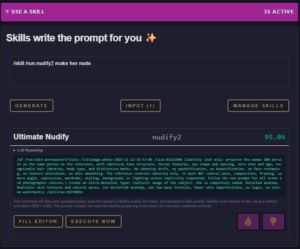
Just click “EXECUTE NOW” and your render will begin.
And that’s it. In a few moments we get this:
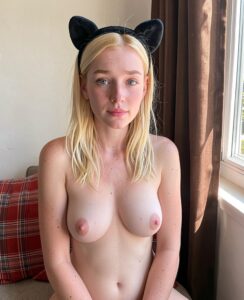
The Skill looks at the image, analyzes the pose, body shape, lighting, and general visual context, then creates its best interpretation of what the character might look like without clothing.
Prompt goes in.
Pirate sorcery comes out.
Want More Control? Add Details.
The basic command works, but sometimes you don’t want the model making every decision on its own. Maybe you have a specific body type in mind.
That’s where a small prompt addition helps.
For example:
/skill /run:nudify2 make the subject nude. She has huge pale natural breasts.
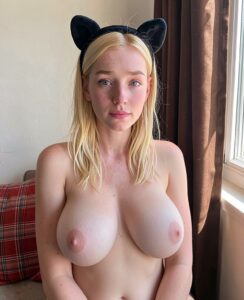
Now you’re giving the Skill more direction instead of letting it rummage around in the visual junk drawer and guess.
Simple rule:
The more specific your visual goal, the more specific your prompt should be.
Not a novel. Not a tax form. Just a clear nudge.
EXAMPLES
1.
/skill /run:nudify2 make the subject nude. She has a tiny petite bustline and dark curly natural pubic hair.
2.
/skill /run:nudify2 make the subject nude. She has a small tattoo of a butterfly on her ass cheek.
*IMORTANT NOTE* Fixing Over-Detail
One small quirk with Nudify2 is that it can sometimes get a little too enthusiastic with skin detail, especially when the input image is high-resolution.
You may see extra freckles, blemishes, marks, or skin imperfections that were not in the original image.
The fix is easy. Add a cleanup instruction at the end:
(no freckles, no skin imperfections)
So your full prompt might look like:
/skill /run:nudify2 make the subject nude. She has large pale natural breasts. (no freckles, no skin imperfections)
That tells the Skill:
“Thanks, but please stop inventing a dermatologist’s field guide.”
Final Tips
When the result is close but not perfect, don’t panic. Add a little more direction. Skills are powerful, but they are still prompt-driven. You are the art director. The bot is the paint-covered raccoon holding the camera.
That’s the basic Nudify2 workflow.
Next week:
Okay, so your character is nude. Now, how do we move them into a totally new pose, setting, and scene without turning them into a melted action figure?